
How to post your event on Facebook: a practical tech guide
Clear, step-by-step instructions for posting events on Facebook, with tech-specific tips, pitfalls to avoid, and smart options for visibility in a London-focuse

Posting an event on Facebook is faster when you know the steps and the options that matter for tech-savvy readers. This guide breaks down the process into concrete actions, from setup to optimization, so you can reach the right audience without unnecessary frills. You’ll see practical checks for privacy, visibility, and integration with other tools.
Follow along as we map out the core tasks: create the event, fill in details clearly, choose the right audience, and use features like reminders and co-hosts responsibly. The aim is to help you post an event that matches your intent and minimizes confusion for attendees. Each paragraph offers a concrete action or decision you can apply right away.
This article is geared toward readers who want reliable, repeatable methods that fit real-world workflows, not marketing fluff. By the end, you’ll have a clear plan for publishing events that are easy to find, easy to join, and easy to manage with your tech stack.
- Post your event on Facebook with clear details, correct time zones, and a tech-focused description. Choose visibility settings that match your goals and audience. Use media and a co-host to extend reach while avoiding clutter.
- Structure content for skimmers: short paragraphs, bullets, and a single clear action per section. Validate all links, media, and reminders before publishing. Monitor engagement and iterate using built-in analytics.
- Explore promotion options, test reminders, and refine targeting based on data. Prepare for post‑event follow‑ups and reuse assets for similar events in the future.
- Keep your event page tidy, accessible, and actionable. Use a consistent tone, verify time zones, and document lessons learned to improve future launches.
Basics: create and refine your event
Event basics and essentials
Start with a clear event name, date, and location. Use a specific description that explains what attendees will gain and how to participate. Add cover visuals that reflect the event’s tech focus, such as a screenshot or diagram relevant to the topic. post your event in London is a practical phrase used to anchor location specificity in listings.
The description should avoid jargon and be skimmable, with short paragraphs and bullet points for key details. Ensure the time zone is correct to prevent confusion for a global audience. Consider enabling a co-host if you need another account to manage inquiries and updates.
A well-structured event page reduces questions and post-publication edits. Double-check the location details and accessibility options to avoid misunderstandings about how attendees will join.
- Choose a concise title and subtitle
- Set the correct date/time and time zone
- Provide a practical agenda or agenda highlights
- Add a cover image that mirrors the topic
- Mark privacy and guest restrictions clearly
Audience and accessibility
Identify who should see the event and how settings affect reach. Use audience targeting options sparingly; for tech readers, a professional audience from related groups or pages often performs better.
Provide accessibility notes such as language preferences, sign language options, or live captioning if available. Consider accessibility in both content and the event’s URL or slug to improve discoverability for assistive tech.
Test visibility by previewing the event page as a user and adjusting any confusing elements before publishing.
- Public vs private visibility
- Targeted audiences vs broad reach
- Accessibility features supported by platform
- Preview and test before publish
How to fine‑tune the post for tech readers

Descriptive copy and keywords
Write a description that conveys the tech angle and practical outcomes. Use concrete terms like ‘workshop’, ‘Q&A’, or ‘hands-on labs’ to set expectations. Avoid hype and focus on what attendees will actually learn. Criticize UK headlines should be used carefully in content about media literacy and framing.
Incorporate relevant keywords naturally to aid discovery within Facebook, but don’t stuff the copy. Short paragraphs and bullets help readers skim and extract action items quickly.
Check spelling, ensure consistency with your brand voice, and align the tone with your audience, whether developers, IT pros, or product managers.
- Clear value proposition
- Practical agenda wording
- Natural keyword use
- Brand-consistent tone
- Concise, skimmable layout
Media, links, and co‑hosts
Attach images or a short video that illustrates the tech topic without demanding bandwidth. Link to a relevant resource or registration page, but keep the number of external links minimal to avoid distractions.
If you have a partner or sponsor, add them as co-hosts so updates reach their followers as well. This improves reach without extra manual work.
Test media loading on a slower connection to ensure attendees can still understand the offer and timing.
- High‑quality visuals
- Minimal external links
- Co-hosts for broader reach
- Media load checks
Options for visibility and engagement
Event promotion options
Consider boosting the event with paid ads if the budget allows, focusing on tech-interested audiences. Set a tight targeting window to avoid waste and track clicks against your goals. business directory in London appears as a useful cross‑reference for tech events and local listings.
- Define promotion goals
- Choose targeting settings
- Set budget and duration
- Review performance data
Use reminders and joinable events to keep momentum. Send a reminder close to the date and offer a quick signup path for new attendees.
Cross‑post to related groups or pages with care to avoid spam signals and diminishing engagement.
- Targeted ads with clear CTA
- Reminders and easy signup
- Group cross‑posting with relevance
- Monitor and adjust reach
| Method | Reach | Maintenance |
|---|---|---|
| In‑platform event posting | Moderate to high (depends on audience) | Low effort after publish |
| Group cross‑posting | Potentially higher reach | Requires moderation |
| Paid promotion | Highest reach with budget | Ongoing monitoring |
Alternatives and tools
Leverage event widgets on your site or other platforms to funnel traffic back to Facebook or your event page. This keeps management centralized and analytics coherent.
Use third‑party scheduling or CRM tools to automate attendee responses and reminders, but test for latency or mismatched time zones.
Review analytics after the event to understand what worked and what didn’t for future planning.
- Event widgets and embeds
- CRM and automation tools
- Post-event analytics
- Time zone consistency
Neglecting privacy settings or attendee verification invites confusion; always verify who can see and join the event.
Pitfalls to avoid with events

Common missteps
Overloading the description with technical jargon can alienate attendees who are new to the topic. Aim for balance between depth and accessibility. post a job ad in London can be relevant when discussing regional tech hiring and event staffing.
Neglecting privacy settings or attendee verification invites confusion; always verify who can see and join the event.
Forgetting to check the date, time zone, or speaker lineup can lead to missed reminders and frustrated attendees.
- Jargon overload
- Privacy settings confusion
- Incorrect date or time zone
- Unclear speaker or agenda
Technical hiccups
Reliance on external links can fail if pages go down or move. Prefer in-platform actions, like RSVP and reminders, to minimize disruption.
Media file issues can derail engagement; provide fallback text and alt descriptions for accessible use.
Time zone drift or misalignment between event start and attendee calendars is a common friction point that professionals must prevent with precise scheduling.
- In-platform actions
- Fallback text and accessibility
- Precise scheduling and calendar sync
advanced promotion
Targeted audience settings
Fine‑tuning who sees your event increases relevance and reduces noise. Start with location, interests, and behavior signals that align with your goals. Test small audiences first, then expand to lookalikes based on engaged attendees. If you are curious about audience reach, you might consider publish a death notice in London as a separate outreach note to your local tech community.
Use audience exclusions to avoid showing the event to people unlikely to attend, such as those outside business hours or unrelated hobby groups. This keeps your promotion efficient and your metrics clearer. Review results after a week and adjust before scaling.
Embed audience insights into future invites by tracking which segments convert most often. Compare early engagement from tech enthusiasts versus general users, then tailor messaging to each group. The goal is steady, incremental improvement over time.
- Define core audience
- Create lookalike segments
- Exclude irrelevant groups
- Iterate based on data
Budgeting for visibility
Allocate a steady daily budget during the lead time, not just the day of the event. Small, consistent boosts tend to yield more sustained attention than a single spike. Track cost per event response to avoid overspending.
Consider platform‑native placements like feed posts and events sidebars where organic reach is stronger. Diversify with limited ads in related tech groups or pages that are known to engage tech audiences. Reallocate spend if a format underperforms.
Document what works for future events. Note which copy variations, images, and audience filters produced the best results. A repeatable process saves time and improves predictability for new campaigns.
analytics and iteration
Tracking key signals
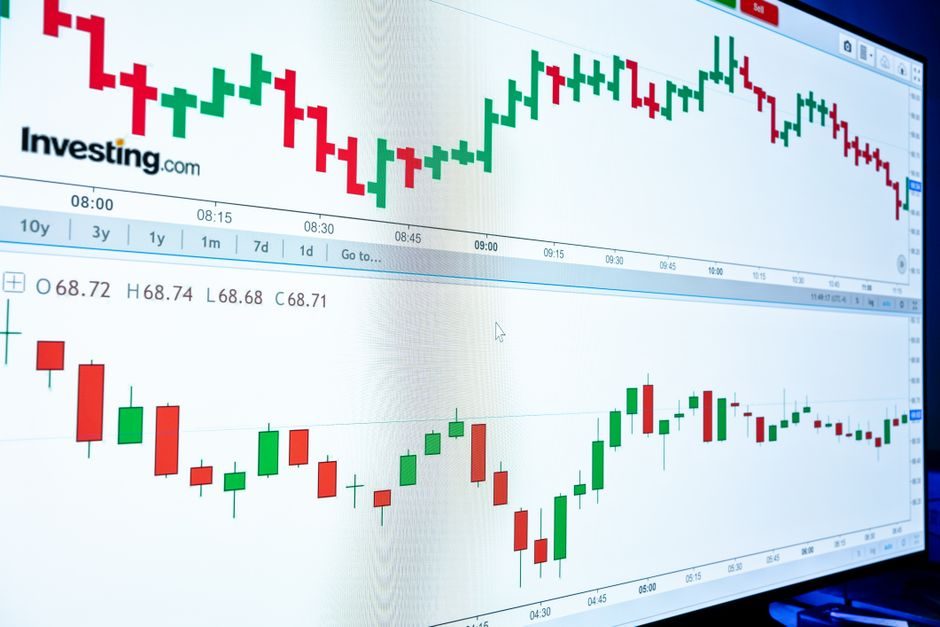
Set up event insights to capture RSVPs, saves, shares, and responses. These signals help quantify engagement beyond ticket sales and confirm whether the audience finds the event relevant. Use a simple baseline first, then layer in deeper metrics.
- Track RSVP trends over time
- Monitor click‑through to RSVP
- Note which images drive engagement
- Adjust based on performance
Use funnel analysis to see where potential attendees drop off—from seeing the event to clicking 'Interested' or 'Going'. Identify bottlenecks in messaging or visuals. Adjust descriptions or imagery to lift completion rates.
Regularly review retention across days and regions. If attendance interest fades in a particular area, refresh the creative or extend the offer there. Continuous monitoring keeps the campaign efficient.
- RSVPs and saves as success metrics
- Funnel drop-off points
- Region-based performance checks
- Iterative creative refresh
Experimentation cadence
Run small A/B tests on copy, images, and call-to-action phrases. Use clear, concise language that mirrors tech readers’ expectations and interest in practical details. Each test should stand alone to avoid confounding results.
Schedule tests in cohorts that mirror typical user behavior, not just a random mix. Compare outcomes using consistent metrics like RSVP rate and engagement per impression. Stop underperforming variants quickly to reallocate budget.
Document results and apply learnings to the next event. Create a playbook with successful copy templates and image styles. A disciplined cadence reduces guesswork and speeds up future campaigns.
cross‑platform nudges
Integrating reminders outside Facebook
Coordinate cross‑posting with related channels to widen reach without duplicating effort. Share a concise version of the event description on Twitter, LinkedIn, or a tech‑focused forum with a link back to the Facebook event.
Use email‑friendly assets that fit different formats: square in feeds, horizontal banners for newsletters, and brief prompts for AI chat assistants that tech readers might use. Tailor the message length to the channel audience.
Schedule reminders to prevent overlap and fatigue. Space updates so followers don’t see the same CTA repeatedly. A consistent cadence keeps awareness high without seeming pushy.
Syncing content with product releases
Framing the event around a timely product or feature release can boost relevance for tech readers. Tie the event to a demo, beta access, or a Q&A with engineers to add value. Clearly explain what attendees will gain.
Coordinate posts so that the event messaging aligns with product timelines and internal milestones. Avoid conflicting dates or conflicting feature details across platforms. Synchronization helps maintain credibility.
Use behind‑the‑scenes assets or quick demos to spark interest. Short videos or GIFs can convey value faster than long text. Ensure accessibility with captions and concise descriptions.
final checklist for launch
Release readiness scan
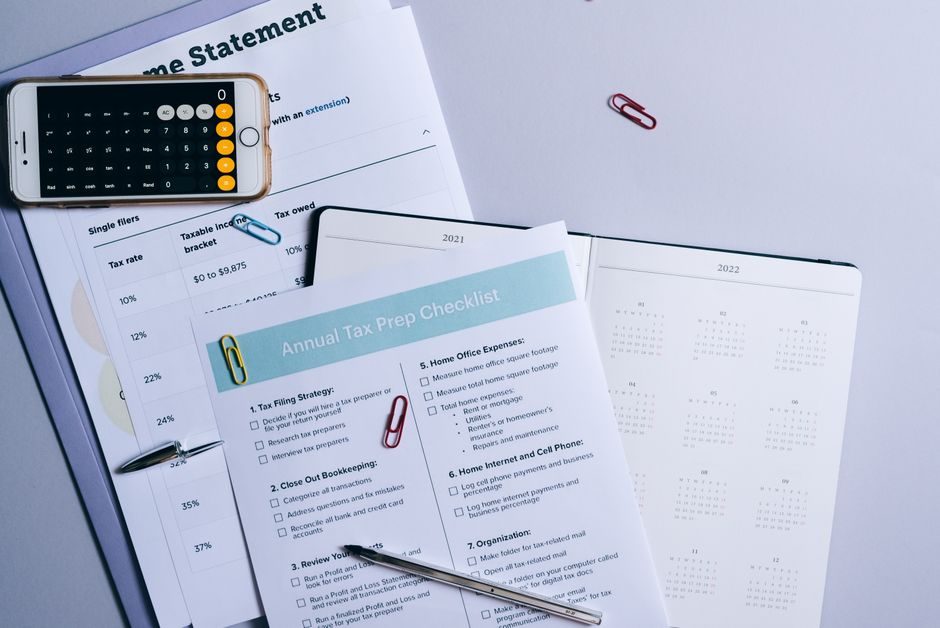
Confirm the event page contains a clear title, date, time, and location. Add a concise description that highlights practical takeaways for tech readers. Verify the RSVP button links correctly and the cover image loads quickly.
Validate accessibility: alt text for images, readable contrast, and keyboard navigation. Ensure essential details appear in search previews so users understand the value at a glance. This reduces friction for interested tech professionals.
Prepare a fallback plan in case of last‑minute changes. Have a revised image and updated copy ready to publish if details shift. Communicate the change promptly to avoid confusion.
Post‑launch follow‑up
Schedule a post‑launch recap with outcomes and next steps for attendees. Include a brief feedback prompt to understand what worked and what could improve. Use those insights to inform future event campaigns.
Plan post‑event assets such as recordings or slides for attendees who registered but could not attend. Point to a resource hub and a short survey to gather broader input from your audience.
Archive the campaign materials in a reusable folder. Label assets by format and audience segment so you can reuse successful elements later. This keeps the workflow efficient for the next event.
Frequently asked questions
What makes a Facebook event post effective for a tech audience?An effective post clearly states the practical value for attendees, uses concise technical language, and pairs the description with visuals that illustrate the topic. It should offer a concrete takeaway, such as a demo or Q&A, and be easy to skim on mobile.
How soon should I start promoting an event on Facebook?Begin promotion several weeks in advance to build momentum. Start with core attendees and gradually broaden the audience. Keep reminders spaced so the message remains fresh without becoming repetitive.
Which metrics should I watch first after posting?Watch RSVPs and saves as early indicators of intent. Then review engagement rate and click‑through to the RSVP. Use these to decide whether to scale the promotion or adjust the creative assets.
How can I avoid common mistakes with event posts?Avoid over‑promising outcomes and maintain accurate messaging. Ensure links work and the event details stay current. Limit repetitive updates and keep a clear posting cadence to prevent audience fatigue.
Practical next steps for tech organizers
Start with a precise value proposition and a clear audience definition. Build a simple, testable promotion plan that fits your event scale and aligns with your technical readers’ expectations.
Use a disciplined cadence for updates, cross‑platform nudges, and post‑event follow‑ups. Leverage analytics to guide iterations and to inform future events, creating a repeatable workflow for technology audiences.
Add Crypto News as a preferred source on Google


